
Onboarding That’s Done For You Not Left to You
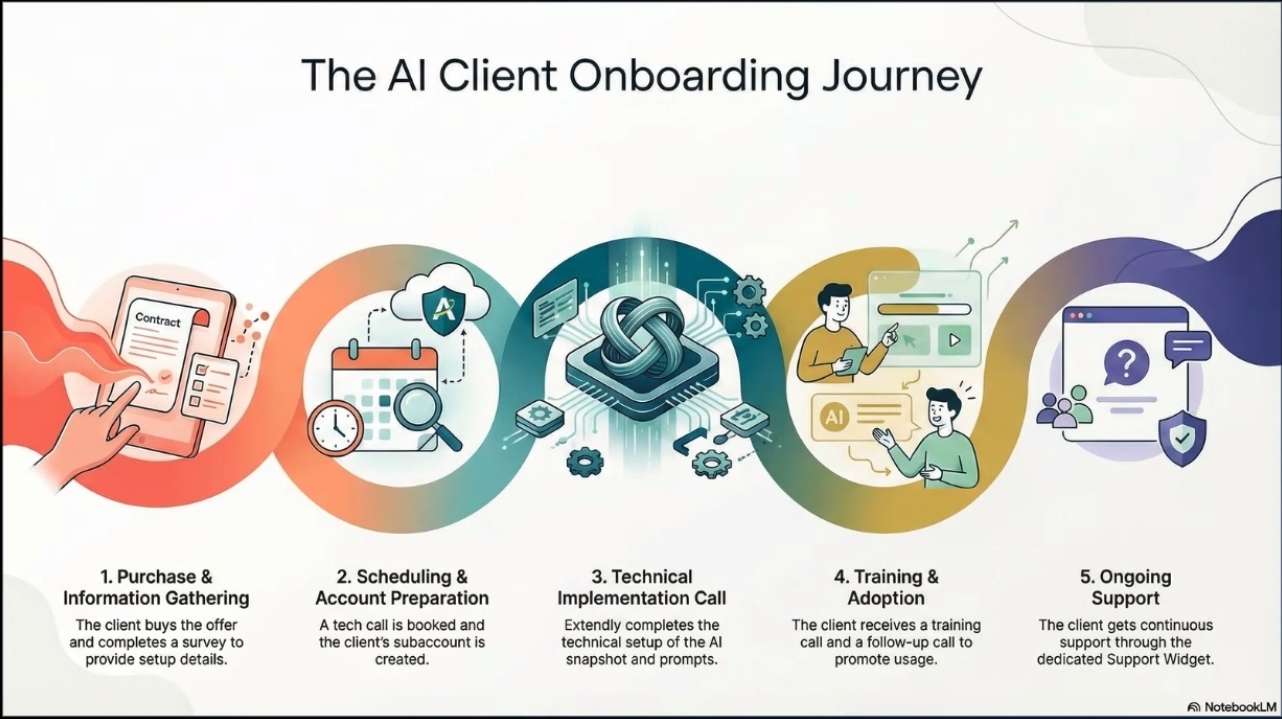
with 24/7 Chat and Zoom Support


The Promise
You Don’t Start With a Blank Screen
High Level is powerful but most firms never fully implement it because the setup process is complex, time-consuming, and easy to misconfigure.
fidUlink AI solves that by delivering a done-for-you onboarding process that configures the platform around your firm’s brand, workflows, and client acquisition process.
You don’t need to become a software builder.
You just need to tell us how your firm works.

What You Do
Step 1: You Complete One Onboarding Form
We start with a single intake form that collects the essentials:
Your firm name and brand tone
Website and domain details
Calendar preferences
Service model and scheduling rules
Team members and roles
Lead sources (referrals, search, webinars, etc.)
Compliance considerations and disclaimers
Preferred CRM (Wealthbox, Redtail, etc.)
This gives us everything we need to configure the system correctly.



What We Do
Step 2: We Configure the Platform for Your Firm
Once we receive your onboarding form, we handle the technical setup and system configuration, including:
Account configuration and core settings
Pipeline stages and lifecycle structure
Calendars and scheduling rules
Email and phone configuration (as needed)
Domains and tracking connections
User access and permissions
Core reporting setup
Your fidUlink AI instance is configured as a working environment not a blank template.
Snapshot + Assets
Step 3: We Deploy Your Fin Pro Snapshot
Next, we install the fidUlink AI Fin Pro Snapshot our pre-built fiduciary-ready system.
This includes:
Pre-built workflows and automations
Pre-written email and SMS sequences
Intake forms and contact segmentation
Lead capture pages and funnels (where applicable)
Appointment reminders and follow-up sequences
Referral follow-up workflows
This is the part that typically saves firms dozens to hundreds of hours of setup work.


AI Employee Setup
Step 4: We Train Your AI Employee
Your fidUlink AI subscription includes an AI Employee that can support inbound communication and scheduling.
We configure and train your AI Employee to align with your brand tone and communication standards, including:
Call answering behavior and scripts
Intake questions and qualification logic
Scheduling rules and handoff behavior
Chat responses for website inquiries
Escalation rules (when to notify a human)
AI is designed to protect responsiveness not replace relationships.
Compliance Export Setup
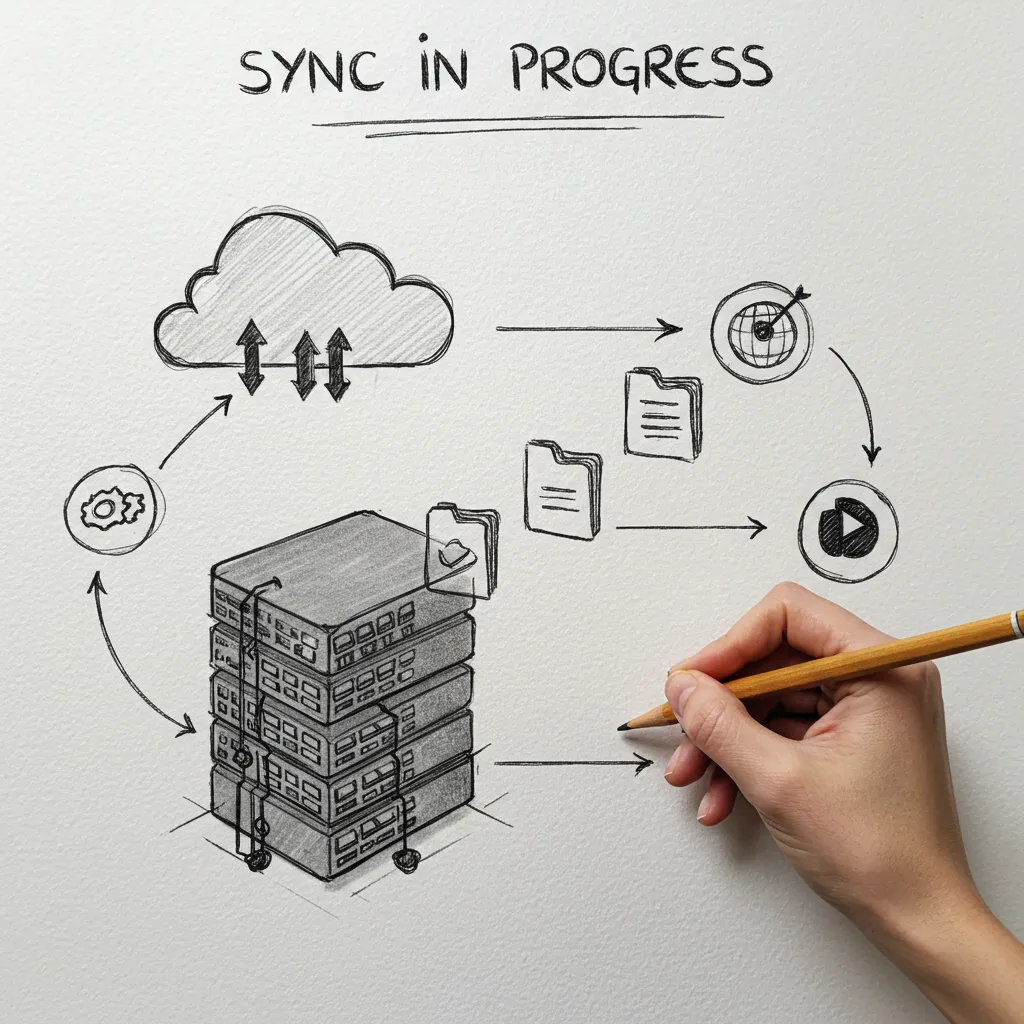
Step 5: We Configure Your Compliant Record Export
To support record retention workflows, we configure your Compliant Record Exporter to send communication records to your chosen cloud archive destination.
fidUlink AI consolidates much of that into one communication suite, while intentionally complementing not replacing your Financial Planning CRM.
Supported endpoints include:
Google Drive
Dropbox
ShareFile
ComConnect File Sync
Other compatible cloud storage providers
Exports occur cloud-to-cloud and run automatically once enabled.

CRM Integration
Step 6: We Set Up Your Financial Planning CRM Handoff
fidUlink AI is designed to complement WealthBox, RedTail CRM, Advyzon, and other Financial Planning CRMs.
We can configure workflows so that when a prospect becomes a client (for example, when a deal is marked “won”), their information transfers cleanly into your Financial Planning CRM.
This keeps a clear separation:
-FidUlink AI handles communication before and around the decision
-Your Financial Planning CRM manages client service after the relationship begins
Training & Launch
Step 5: We Configure Your Compliant Record Export
To support record retention workflows, we configure your Compliant Record Exporter to send communication records to your chosen cloud archive destination.
fidUlink AI consolidates much of that into one communication suite, while intentionally complementing not replacing your Financial Planning CRM.
Supported endpoints include:
Google Drive
Dropbox
ShareFile
ComConnect File Sync
Other compatible cloud storage providers
Exports occur cloud-to-cloud and run automatically once enabled.

24/7 After Launch
Support available on every screen 24/7/365
Whether you want to search our knowledge bases, talk to our AI support agent that knows the whole platform or speak to a human who can jump on the page and give you specific next steps, we have you covered.
Supported Teams
24/7 Human Based Chat
AI Support Agent
Able to meet with our team over Zoom
Custom buildout support available upon request
With a 30-day Money Back Guarantee, you have nothing to lose and everything to gain.
Let’s work together to create a personalized communication super suite that optimizes your time, puts your goals within reach, and gives your team peace and extra time for client work. Start today!

COMPANY
LEGAL
SOCIALS
Copyright 2026. FidUlink AI. All Rights Reserved.